@barry
Forum Replies Created
-
AuthorPosts
-
October 9, 2026 at 10:20 am #40768
 BarryKeymaster
NostalgiTone Tower Power is here! Inspired by the signal-boosting capabilities of the Schaffer-Vega system used by Angus Young, Van Halen, KISS, and David Gilmour of Pink Floyd, Tower Power brings a piece of guitar history to your own rig.
That’s the spirit behind NostalgiTone: revisiting the circuits and sounds that helped define memorable eras of guitar music. With independent VOLTAGE and POWER controls, Tower Power lets you shape your tone and output to suit your needs.
October 7, 2026 at 4:41 pm #40763BarryKeymasterI am surprised that there is more conversation going on here because there is potentially a lot to talk about.
The Mega Rat is a winner!
October 6, 2026 at 5:48 pm #40760BarryKeymasterMy previous suggestion was based on what I was seeing in the earlier comments and thread title.
My other modification suggestion for you specifically is to remove R11 completely. No jumper, but the Volume control will attenuate. If it is attenuating too much, then you could try raising that value, potentially up to 33K. Or, simply keep the Volume control above 12:00. Q1 and Q2 are already goosed so the Drive is not going to be as effective as rolling off the Volume on your guitar for cleaning up.
I still think removing C1 and C3 will put you in a more traditional gain range and give the controls a more usable range for you but be sure the Volume is above 12:00 when testing. Check your bias after making modifications.
Make sure that the back of the Pots which are sitting against the entire solder side of the PCB are insulated.
Final thought: This circuit was designed by Tonmann from Germany over 15 years ago as a simple high gain device for Bass. I still have the original v1 which is what I made my demo with. The only difference is that it used J201 instead of J113. It calls for J113 now because dependable J201 were not available in the past decade but if you have some it may be worth trying.
I hope that helps.
October 6, 2026 at 3:50 pm #40755BarryKeymasterPut R3, R6 and R9 back to their original 1k values. Then remove C1 and C3 (22µF). No jumpers are needed. Removing C1 and C3 will reduce the gain of the first two JFET stages, giving you a cleaner, less aggressive response. Leave C5 in place for now. After the modification, rebias the stages to approximately 5V at the drains.
One other thing to keep in mind: this is a very old circuit design, and it was deliberately designed by Tonmann to have an aggressive gain character. Many of these have been built over the years, and some really like it (see the YouTube video from Germany above). That said, I understand why it is too much for some, and the modification suggested above is intended to tame that character for those who find it too much.
October 2, 2026 at 8:16 pm #40737BarryKeymasterLooks great!
How does the Noise Killer work out in the effects loop?
It is wonderful having something you built, is useful, and sounds great on your board.
October 1, 2026 at 12:38 am #40726BarryKeymasterI have never used a Noise Suppression device on a permanent basis, but I would try putting the Noise Killer first in that row, right after the FX Send and before the EQ. That way the gate is getting the signal coming out of the amp’s preamp, where a lot of the hiss/noise from your amp and pedal gain setup can originate. Then you can run the EQ, Echoplex, Reverb, and Chorus after the gate and return the last pedal to the amp’s FX Return. That also keeps the reverb, delay, and chorus tails from being abruptly chopped off by the gate.
As for the Guitar-through-amp input row, my thought would be to start with the Wah, Compressor, then the Metal Godz. That way you will be able to use the Rangemaster in tandem with everything downstream from it. So not only is the Rangemaster good for the Metal Godz pedal, it will also be good for the Zoso Tone and whatever else before going straight into the DSL1.
September 30, 2026 at 8:24 pm #40723BarryKeymasterThat is a nice setup. I love my DSL40. I also have a Peavey lunchbox that is fantastic, and I often use the clean channel or the effects loop return when hooking up preamps for making demos, since that bypasses the Peavey preamp so I’m not running two different preamps in series. The Strobostomp is also the best. And the EQ is a vastly underrated item. I love the Echoplex delay as well.
You may need a slightly larger pedal board, agreed. If I wanted to try to make everything fit, though, my suggestion would be to move the Wah off the pedal board. Since it is always first in the chain, you can leave it off the board and save that space for standard-size pedals. I just keep a 16″ patch cable connected from my Strobostomp to the Wah sitting off the board.
I would also be interested in trying the Noise Killer in the DSL1’s effects loop. That could free up even more space on the board.
Just doing those couple of things, along with a little maneuvering of your newly freed-up space, you may have enough room on your current board for both new additions.
Just some thoughts at a glance.
September 29, 2026 at 5:48 pm #40712BarryKeymasterThe order switch is very important.
When you flip the switch toward the Rangemaster side that allows the Rangemaster to push the Marshall preamp.
If you flip the switch toward the Marshall side that places the Rangemaster after the Marshall so it can function more as a Volume Boost than a Saturator.
That is why you get a lot of Bang for your Buck with Dual Combos.
Also there are many “Singles” I can immediately think of to fill out your tone in a natural, analog way.
September 28, 2026 at 5:58 pm #40701BarryKeymasterExcellent job! Thanks for sharing.
Be sure to let Small Bear know about the jack holes placement.
As far as the controls, the ones on the left are pretty self-explanatory since that is the Marshall amplifier preamp. Find a Gain setting that works for you both on its own and in tandem with the Rangemaster.
The Rangemaster isn’t just a boost, although it certainly can be used that way. Using it in tandem with the amp, the way so many NWOBHM players did, is where the magic happens. They used the Rangemaster to get more out of their “always-on” tone because they couldn’t turn their amps up loud enough to get that great tone in smaller venues.
As for the Rangemaster side, it’s a little more robust than a standard Rangemaster:
Boost: This is your Level control.
Heat: I personally run this full up, but dial it in to your liking. This controls the saturation.
Range: This controls how much of the frequency range you allow through. A stock Rangemaster was very bright. With this version, you can rotate the control to add more bottom end.
At one extreme, you have the standard bright Rangemaster sound. In the middle, you’re in the territory of a Tony Iommi-modded Rangemaster. At the other extreme, you’re allowing the full frequency range through.
Personally, I like the Iommi-to-stock range because it really cuts through the mix.
Play them however you like, but if you’re going for that NWOBHM sound, run them in tandem and start with the ORDER switch flipped to point to the Rangemaster side. That places the Rangemaster first just like they were used by the Metal Godz.
September 27, 2026 at 7:28 pm #40696BarryKeymasterGlad to hear it.
I knew something was up because you had me literally beating the shit out of my pedal with both my Allan Woody and Ibanez, and I just could not make it happen no matter what, and I have a ton of dirt.
Hitting the op amp hard is the point of the design to get that filthy drive, but apparently the TL072 has less margin with some basses/pickups than I anticipated.
I am going to make some mild compromises to account for more basses and bass pickups because they are all a little different.
Thanks for hanging in there with it and for helping me figure this out.
September 27, 2026 at 7:01 pm #40693BarryKeymasterSo I guess you hate Star Wars and Star Trek then.
September 27, 2026 at 5:59 pm #40690BarryKeymasterI’m glad you’ve found some sounds you like and that you’ve got it working well enough for your purposes. I wasn’t able to reproduce the signal-cutting issue on my own build with either an Allan Woody Epiphone (passive) or Ibanez (active), so without being able to isolate where it’s occurring in yours, I don’t want to speculate about the cause. Thanks for documenting what you found and for giving the project a try.
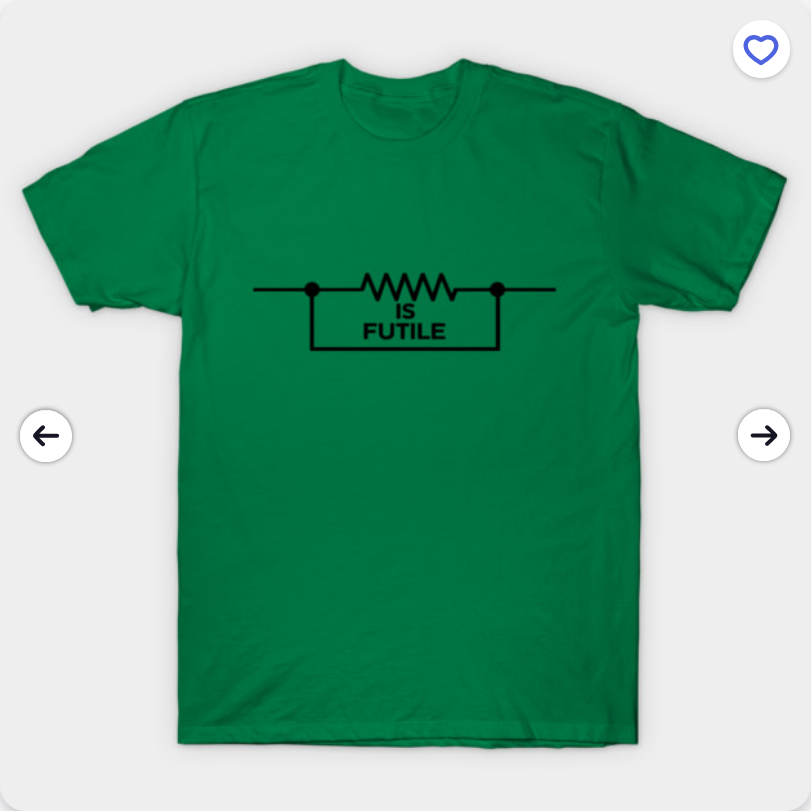
September 27, 2026 at 5:19 pm #40689BarryKeymasterResistance is Futile!
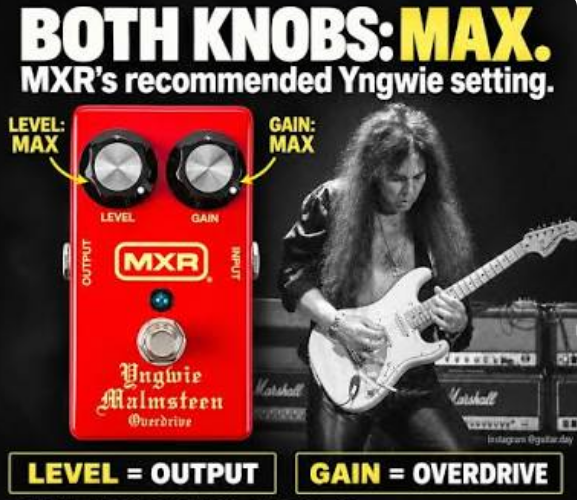
September 27, 2026 at 4:41 pm #40686BarryKeymasterWith a Distortion+ it is very notable that you need to turn the Level and Distortion knobs up for unity or above levels.
September 27, 2026 at 4:05 pm #40684BarryKeymasterI honestly cannot explain that.
The other option to increase distortion with the Red LEDs back in place (verify they are working first) is to increase R5.
You can try 470k.
September 27, 2026 at 6:44 am #40675BarryKeymasterI do not have an issue with either circuit with any of my instruments. Of course, different instruments, pickups, pickup height, etc. can all affect how hard a pedal is being driven, each in their own way. The intent was to have a powerful circuit that works in tandem with the amplifier gain, so not having a ton of distortion until the Gain is fully cranked was intentional. That said, I am going to test 8.2K and see how I like it. I may go with that instead to ward off any future issues.
I am glad you’ve now got the original problem sorted out. Increasing R6 to 8.2K stopped the signal from cutting out, but the trade-off is that you now have less available distortion through the rotation of the Gain control which makes sense.
If you want the pedal to break up earlier while keeping the 8.2K R6, you can simply change the clipping diodes. The LEDs are used purposefully in this circuit to create a Bass Drive that does not distort right away.
You can remove the LEDs and use 1N4148, 1N914, etc. instead. This will give you faster breakup and more available distortion. The trade-off is that you will lose some volume, but that shouldn’t be an issue (just turn the Level up). You could also experiment with a C1M Gain pot if you want to change the way the gain comes on through the rotation, but I would definitely try the diode change first.
So at this point, you’re simply tailoring the distortion and Gain response to your liking, and I would start your experiment with the clipping diodes.
I wrote this Clipping Guide which is very applicable to this exact situation. That should help you dial it in just the way you like it.
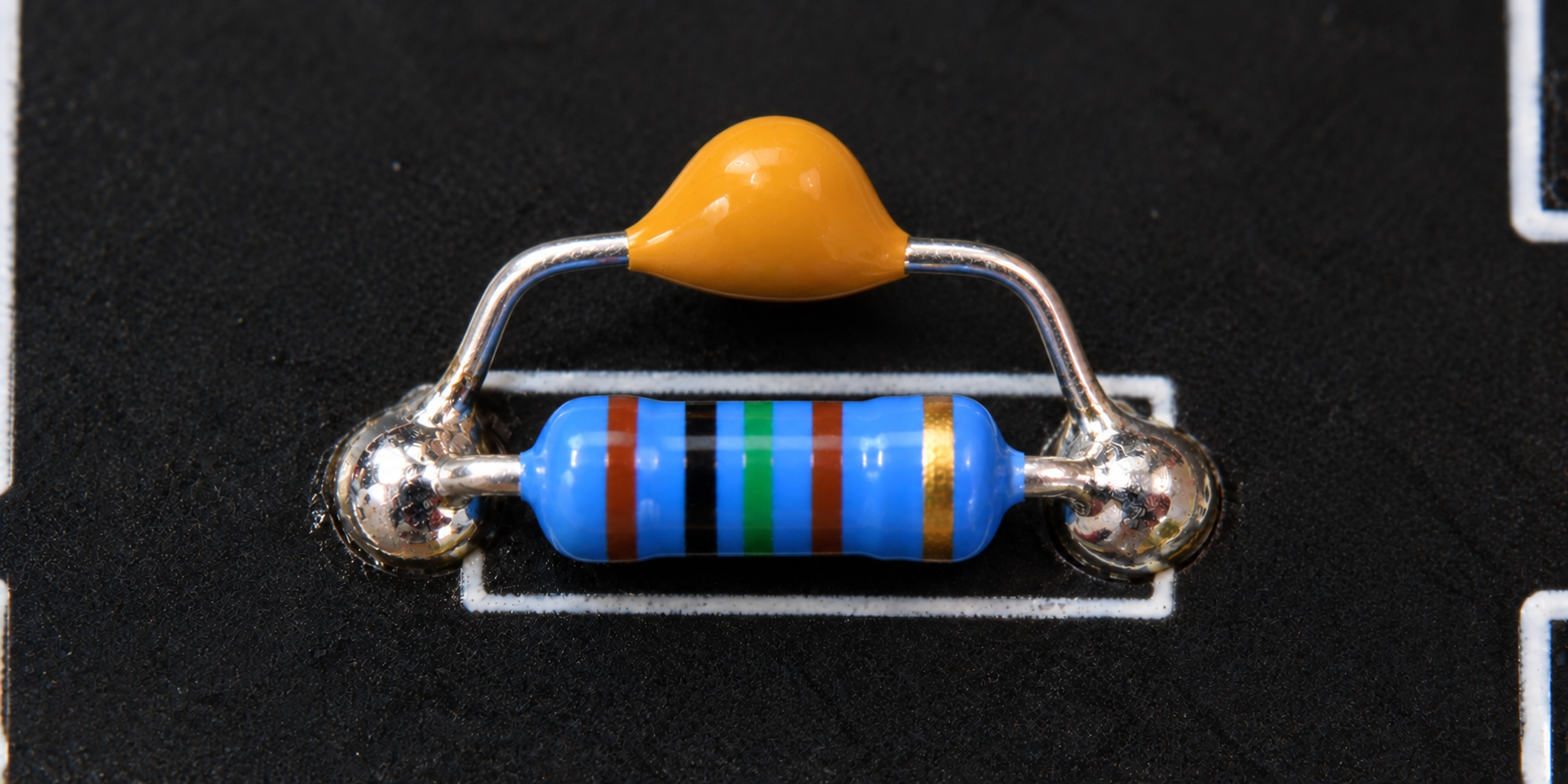
September 27, 2026 at 4:02 am #40671BarryKeymasterYou simply tack a leg of your 10p to 100p cap on either side of R7 using the solder that is there on each end of the resistor or add some extra if needed. That is parallel. I doubt you will notice a difference but it is good practice despite MXR not bothering with it.
-
AuthorPosts