
Your Source for DIY Pedal PCBs and NostalgiTone! › GuitarPCB Forum › GuitarPCB Build Support › Mini-Me Chorus not affecting (solved)
Tagged: Chorus, circuit, help, pedal build
- This topic has 55 replies, 7 voices, and was last updated 1 year, 8 months ago by
 Billy.

-
AuthorPosts
-
January 6, 2025 at 4:24 pm #34700AnonymousGuest
Just finished all the guts for my new Mini-me Chorus kit and I’m running into a problem it seems like a few people have had before: it doesn’t affect the signal at all. There’s no whining/squealing/distortion so I believe the issue is something with the circuit board rather than the grounding, but any help would be much appreciated! Thanks!
January 6, 2025 at 5:03 pm #34701BillyModeratorI don’t see any jumpers under the BBD it’s easy enough to forget those but you definitely need them
I’ve built over 10 of these so it’s not the pcb
I’d probably ground G2 to the DC jack they’re 2 separate ground planes
January 6, 2025 at 6:24 pm #34704AnonymousGuestSorry which one is G2? Thanks for the help!
January 6, 2025 at 7:57 pm #34705SteveModeratorJanuary 6, 2025 at 9:35 pm #34706AnonymousGuestJust moved the G2 wire to attach to the DC jack and there’s no power. Is there anything else I need to do?
January 6, 2025 at 9:52 pm #34707SteveModeratorAs Billy pointed out in his reply, it looks as though you have omitted the jumpers for IC2. They definitely need to be there.
January 6, 2025 at 10:25 pm #34708AnonymousGuestOkay thanks! I put those in but it still doesn’t seem to have any effect on the signal. Turning the pots doesn’t change anything.
January 7, 2025 at 9:42 am #34711PlaysforfunModeratorBut do you have power now? My advise is to go back through every step and compare your resistors to a color code chart and recheck all caps to be in there correct positions. Triple check with your DMM that you have continuity where you expect to be. Especially with respect to ground. When you take a break build yourself an audio test probe so you can follow the signal to find the area of concern. Be sure to use a fresh battery as your power source to eliminate any issues caused by a wall wart. Your soldering looks great. Reflow anything suspect, however, but be careful for overheating ICs and Transistors.
Conversely you could get the power going and then post DC voltages from each pin of the ICs and transistors to ground, along with some new pics. Perhaps we can zero in on it. Still build an audio probe.
January 7, 2025 at 1:51 pm #34712BillyModeratorIt’s difficult to see but I’m assuming you have both G2 and the pcb ground going to the DC jack it looks like there is a ground wire going under the pcb to the main ground pads
All your component values and orientation that I can see look correct
Regarding the jumpers for the BBD obviously make sure you’ve got them oriented correctly for the V3207
To check you’re actually getting power into the pcb check voltage on the mini me main 9v and ground pads where you should read around +9v
January 8, 2025 at 11:46 pm #34721AnonymousGuestSo I took measurements of the voltage and found that the voltage at the DC jack is only 6 V. I took measurements of the ICs and Transistors too, which I included in the diagram here. Any ideas for next steps?January 9, 2025 at 9:45 am #34725mybudModeratorIf you have indeed installed the jumper correctly (definitely required as Billy says), try slowly and gently adjusting the trimmer while playing through the pedal. There’s a fairly narrow band in which it operates so take it slow in small steps. If all else is well, you should hear the chorus effect. If not, then it’s audio probe time. There are instructions on how to make one hereabouts.
January 9, 2025 at 1:48 pm #34727BillyModeratorWhat are you using to power it is your power supply putting out enough voltage
If it’s an adaptor check the label and measure the voltage it’s putting out simply put your meter ground / black probe into the centre of the adaptors socket and put your red probe on the sleeve you should get a positive voltage if it’s a centre negative adaptor
You’ll need to find out where you drop voltage
If the adaptor puts out sufficient voltage plug it in and check voltage on the DC jack solder lugs
January 10, 2025 at 9:58 am #34731AnonymousGuestJust checked the adapter and it’s putting out 9V while the DC jack solder lugs are only at 6 V. Is it an issue with the jack itself or the soldering? Or both?
January 10, 2025 at 10:07 am #34732mybudModeratorLet me check voltages on mine. Give me a little while.
January 10, 2025 at 10:25 am #34733mybudModeratorI’m getting 9V on the board, where the supply enters proceedings. As Billy says, the 3V voltage drop is odd.
I’ve just checked pin 1 of the 4558, which reads 4.5V (correct, since this is bias voltage = 1/2 of 9V). Is there a way you can bypass the DC socket and connect the adapter directly to the board?
January 10, 2025 at 12:56 pm #34734BillyModeratorSounds like the DC jacks the problem if it gets 9v in and only 6 out
Make sure you’re placing your meter probes on the actual solder lugs not the wires or solder joints on the jack
If you haven’t already reflow the jack solder joints and push your ground wire through more and snip off any excess bare wire
Continuity check there’s no connection between each solder lug and solder lugs to enclosure you should get infinite resistance
Where did you get the DC jack
January 10, 2025 at 1:54 pm #34737AnonymousGuestThe DC jack is just the one that came with the kit. I’ll try reflowing the solder joints later today.
-
AuthorPosts






 So I took measurements of the voltage and found that the voltage at the DC jack is only 6 V. I took measurements of the ICs and Transistors too, which I included in the diagram here. Any ideas for next steps?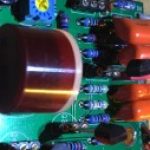
- You must be logged in to reply to this topic.